
I Rebuilt My Blog from WordPress to Astro and Cloudflare: Was It Worth It?
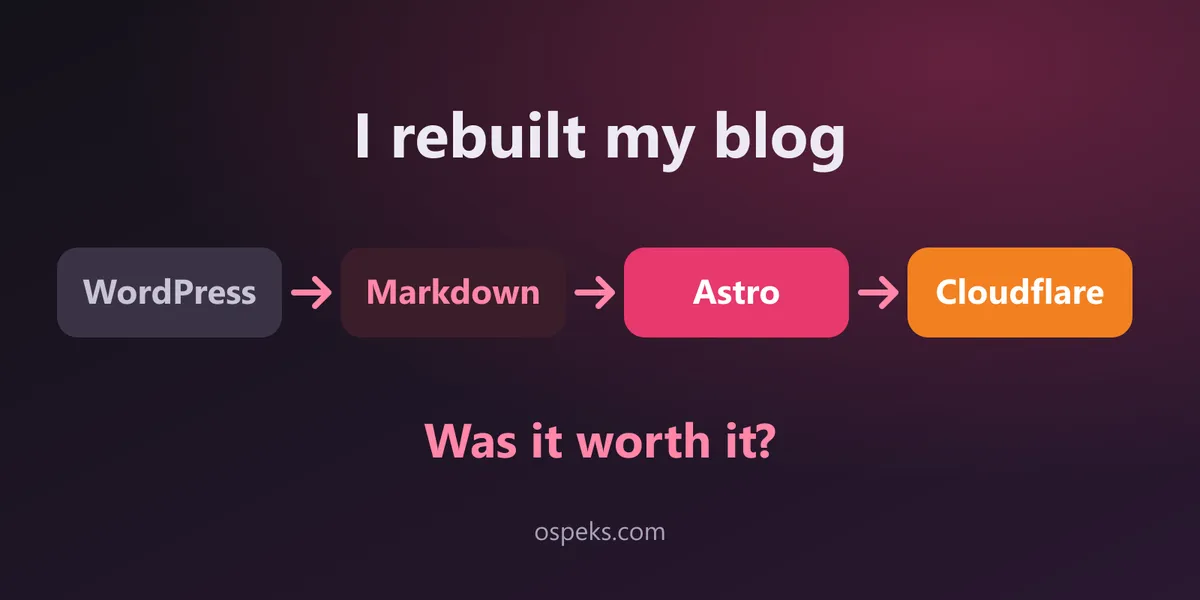
Table of contents
- Why I left WordPress
- Start with the promises, not the homepage
- Getting the content out
- Images: stored with the post, optimised at build time
- The Cloudflare surprise: Pages is now Workers
- Guardrails, so the mess doesn’t come back
- Publishing is now a git push
- A house style for future posts
- The results
- What I gave up
- So, was it worth it?
- FAQ
- Did the migration hurt SEO?
- Why Astro and not Hugo or Next.js?
- What would you do differently?
Ospeks ran on WordPress for six years. It worked, but every visit to the homepage downloaded 222 KB of HTML, 14 script tags and 9 stylesheets before a single article appeared. Writing a post meant fighting a page builder, and my content lived in a database wrapped in shortcodes from plugins I had long forgotten about.
So I moved everything to Markdown → Astro → GitHub → Cloudflare. This post is the honest version of how that went: the plan, the surprises inside the WordPress export, the guardrails I added, and the numbers afterwards.
Why I left WordPress
Nothing was broken, which is exactly why it took me so long. But the costs had piled up:
- Plugins for everything. Rank Math for SEO, Easy Table of Contents, Contact Form 7, Buy Me a Coffee, a theme with its own lazy-loader. Each one added scripts, CSS and update risk.
- Content I didn’t really own. Posts were HTML blobs in MySQL, full of plugin markup. Moving them anywhere meant untangling that first.
- Friction to write. For a blog about integrations and automation, publishing was the least automated thing I did.
What I wanted instead: posts as plain Markdown files in Git, a static site with zero JavaScript by default, and deploys that happen when I push.
Start with the promises, not the homepage
In integration projects I never start by building. I start with discovery: what does the current system already promise its users? A website is no different. Before touching the design, I listed what ospeks.com was promising Google, readers and other sites linking to it:
| Promise | What it meant in practice |
|---|---|
| Every URL keeps working | 23 posts, 4 pages, categories, tags and pagination: 68 URLs |
| Search snippets stay the same | Carry over every Rank Math meta description |
| Feeds and sitemaps keep resolving | /feed/ and /sitemap_index.xml redirect to the new files |
| Images keep loading | Download every image and store it next to its post |
The WordPress permalinks were simply /post-slug/, so the new site uses the folder name as the URL and forces trailing slashes to match exactly. After every build I checked all 68 old URLs against the output. Zero missing was the bar for going live.
Getting the content out
WordPress exposes everything through its REST API (/wp-json/wp/v2/posts), so I didn’t need a database dump. A Node script pulled posts, pages, categories and tags, converted the HTML to Markdown with Turndown, and saved each post as src/content/blog/<slug>/index.md with its images in the same folder.
The conversion itself was the easy part. The WordPress leftovers were not:
- Lazy-loaded images. The theme put a transparent GIF in
srcand the real URL indata-src. A naive export gives you 57 identical blank images. - Table of contents markup from the TOC plugin was injected into every heading as empty
<span>anchors. - Page builder shortcodes. The Terms page was built with Visual Composer, so the export contained things like
[vc_row][vc_column][vc_tta_section title="The Services"]. The section titles were real content hiding inside shortcode attributes. - An unrendered AI shortcode in one post,
[ai_image_prompt …], which had been sitting there visibly for over a year. - Six images that were already dead on the live site. I dropped them instead of migrating broken tags.
- A mangled SEO description. Rank Math had stored one French post’s description as “juin 2026Version du plugin…” with no spaces.
Most of this was solved with a small cleaning step before conversion:
function cleanHtml(html) {
  return html
    // TOC plugin container and heading anchors (Astro builds its own TOC)
    .replace(/<div id="ez-toc-container"[\s\S]*?<\/nav>\s*<\/div>/g, '')
    .replace(/<span class="ez-toc-section(?:-end)?"[^>]*><\/span>/g, '')
    // Theme lazy-loading: the real URL lives in data-src
    .replace(/<img([^>]*?)\ssrc="[^"]*transparent\.gif"([^>]*?)\sdata-src="([^"]+)"/g, '<img$1 src="$3"$2')
    // Unrendered plugin shortcode
    .replace(/\[ai_image_prompt[^\]]*\]/g, '');
}
The lesson: the export tells you what your old system actually did, not what you thought it did. Read the output before you trust it.
Images: stored with the post, optimised at build time
Every image now sits next to the Markdown that uses it, referenced as ./image.png. Astro converts them to WebP and generates responsive sizes during the build. Some of the heavier case-study images shrank dramatically:
| Image | Before | After |
|---|---|---|
| Product detail page screenshot | 832 KB | 112 KB |
| Product photo | 802 KB | 75 KB |
| Detail view | 750 KB | 100 KB |
No image plugin, no CDN configuration. It is simply what the build does.
The Cloudflare surprise: Pages is now Workers
My plan said “Cloudflare Pages”. When I ran the deploy, Wrangler told me Pages is now part of Workers and refused to create a classic Pages project without forcing it. So the site runs as a Worker with static assets: same idea, a folder of HTML served from Cloudflare’s edge, and it still honours _redirects and _headers files.
The more interesting decision was how to switch the domain. Attaching a custom domain would have replaced my existing DNS records, and I couldn’t back them up first. Instead I used Worker routes on the zone:
// wrangler.jsonc
"routes": [
  { "pattern": "ospeks.com/*", "zone_name": "ospeks.com" },
  { "pattern": "www.ospeks.com/*", "zone_name": "ospeks.com" }
]
Routes sit in front of the existing proxied records. WordPress kept running untouched behind them, and rolling back means deleting two routes. When you migrate something customers depend on, a cheap rollback is worth more than an elegant cutover.
A five-line Worker handles the one thing static files can’t, redirecting www to the apex domain:
export default {
  async fetch(request, env) {
    const url = new URL(request.url);
    if (url.hostname === 'www.ospeks.com') {
      url.hostname = 'ospeks.com';
      return Response.redirect(url.toString(), 301);
    }
    return env.ASSETS.fetch(request);
  },
};
Guardrails, so the mess doesn’t come back
Migrating once is easy. Keeping the new site clean over years of posts is the real work, so the build now enforces a few rules:
- A fixed list of categories. WordPress had grown “Uncategorized”, “Business”, “Case Study” and keyword-stuffed tags like seven variants of “shopping behavior”. Now there are six categories in one file, and the content schema rejects anything else. Old category and tag URLs redirect to their new homes.
- A content check before every build. It fails on WordPress shortcodes, leftover HTML, broken image paths, URL collisions and
TODOplaceholders in published posts. It caught the original Terms page the first time I ran it. - A boundary around history. Stricter style rules (no H1 in the body, a cover image, tags) apply only to new posts. I didn’t rewrite six years of archive just to satisfy a linter.
- Drafts and scheduled posts.
draft: trueand future dates show up locally but stay off the live site.
Starting a post is one command that writes valid frontmatter and refuses to reuse an existing URL:
npm run new -- "My post title" --category data-apis --type guide --tags "etl, python"Publishing is now a git push
A GitHub Actions workflow runs the content check, builds the site and deploys it to Cloudflare on every push to main. Pull requests build without publishing, so mistakes are caught before they go live. A daily scheduled run rebuilds the site, which is how a post with a future pubDate goes live on its date without me doing anything.
on:
  push:
    branches: [main]
  pull_request:
  schedule:
    - cron: '0 5 * * *' # publish scheduled posts every morning
A house style for future posts
To keep new posts consistent, the repository has a short writing guide: the structure for guides, project write-ups and insight posts, the voice I write in, and the Markdown rules the build enforces. The npm run new command starts every post from the matching template, and the content check verifies the result before anything is published.
The results
| WordPress | Astro on Cloudflare | |
|---|---|---|
| Homepage HTML | 222 KB | 17 KB |
| Script tags on the homepage | 14 (6 external) | 2 small inline scripts |
| Stylesheets | 9 | 1 (11 KB) |
| Old URLs still working | n/a | 68 of 68 |
| Time to first byte (homepage) | not measured | ~90 ms |
| Publishing | Editor + plugins | git push |
The new site also added things WordPress never had: local search, a light/dark theme toggle, self-hosted fonts (no requests to Google, which matters for GDPR in Germany) and structured data on every post.
What I gave up
It wasn’t all upside:
- No comments. They were mostly spam anyway, but if you want to discuss a post, contact me.
- No browser editor. Writing happens in a text editor and Git. For me that’s a feature; for a non-technical team it would be a blocker.
- No plugin marketplace. Anything new is code I own, and have to maintain.
So, was it worth it?
Yes. The site is about 13 times lighter, every old link still works, and publishing went from a chore to a git push. More importantly, the content is now plain files I fully own, in a format any editor or tool can work with.
If you’re thinking about a similar move, my advice is the same I’d give on any migration project: write down what the old system promises before you change anything, turn those promises into checks, and make the rollback cheap. The new homepage is the easy part.
FAQ
Did the migration hurt SEO?
Every URL, title and meta description was preserved, removed categories and tags redirect with a 301, and the sitemap and feed moved with redirects in place. That covers the signals search engines rely on.
Why Astro and not Hugo or Next.js?
Astro ships zero JavaScript by default, treats Markdown content collections as first-class with a typed schema, and optimises images at build time. For a content site that’s exactly the feature set I needed.
What would you do differently?
Export the DNS records before starting. The deploy tool’s permissions couldn’t read them, which is one reason I switched the domain with Worker routes instead of replacing records. It worked out, but a DNS backup should be step one of any domain migration.
Related posts

The Secret to Faster, Smoother Tech Delivery: Agile Methodology
Projects constantly late and over budget? Here's how we cut delivery times by 40%.